Extend PocketBun
For complete API bindings reference, see Extend PocketBun Reference.
Quick links:
- Overview
- Event hooks
- Routing
- Database
- Record operations
- Collection operations
- Migrations
- Jobs scheduling
- Sending emails
- Rendering templates
- Console commands
- Sending HTTP requests
- Realtime messaging
- Filesystem
- Logging
Overview
JavaScript engine
PocketBun executes your hooks and custom server code with Bun, allowing you to write server-side logic in JavaScript or TypeScript.
You can start by creating *.pb.js or *.pb.ts file(s) inside a pb_hooks directory in your project.
// pb_hooks/main.pb.js

routerAdd("GET", "/hello/{name}", (e) => {
  let name = e.request.pathValue("name");

  return e.json(200, { message: "Hello " + name });
});

onRecordAfterUpdateSuccess((e) => {
  console.log("user updated...", e.record.get("email"));

  e.next();
}, "users");
- For convenience, when making changes to files inside
pb_hooks, the process will automatically restart/reload itself (currently supported only on UNIX based platforms). Hook files are loaded per filename sort order.
On Windows, hooksWatch restart behavior has no effect.
For most parts, the JavaScript APIs mirror the upstream server APIs with 2 main differences:
-
Go exported method and field names are exposed in camelCase, for example
$app.findRecordById("example", "RECORD_ID"). -
Errors are thrown as regular JavaScript exceptions and not returned as explicit error values.
PocketBun still accepts older Go-style uppercase hook and migration names where they were exposed by previous PocketBun releases, but those names are deprecated compatibility aliases. New hooks and migrations should use the lowercase names from the PocketBase JavaScript docs and generated pb_data/types.d.ts.
To update older hooks and migrations automatically, run pocketbun server-js upgrade-source. It scans ./pb_hooks and ./pb_migrations by default; use pocketbun server-js upgrade-source --check in CI to fail when deprecated aliases remain, and review the generated diff before committing. The fixer rewrites deprecated uppercase server-side JavaScript member access and known PocketBun option-object keys to their lower camelCase equivalents, including app methods such as RunInTransaction, CreateBackup, RecordQuery, and Restart; record, DateTime, form, ApiError, ValidationError, RequestInfo, Cookie, Command, SubscriptionMessage, Context, field option, and hook handler names. It leaves unrelated application data keys, such as HTTP headers and globalThis.secrets.*, unchanged. It also updates released PocketBun package aliases like RegisterHooksPlugin* / RegisterJSVM*, RegisterServerJS*, TemplateLangJS, and PascalCase package config keys when you pass files that contain package setup code.
In the PocketBun package API, use registerServerJS* / mustRegisterServerJS* and ServerJSConfig for server-side hooks and JavaScript migrations. PocketBase’s upstream JavaScript extension package is named jsvm because it runs code in an embedded JavaScript VM; PocketBun keeps RegisterJSVM* / MustRegisterJSVM* and JSVMConfig as upstream-parity aliases. RegisterHooksPlugin* / MustRegisterHooksPlugin* and RegisterServerJS* / MustRegisterServerJS* remain available as deprecated compatibility aliases.
Many I/O-heavy APIs also expose Async variants (for example serveAsync(...), migrateAsync(...), and registerServerJSAsync(...)).
Use onBootstrapClear to release resources allocated during onBootstrap. It runs before shutdown or reinitialization, and when you call await $app.clearBootstrap(). In custom Bun entrypoints, await app.clearBootstrap() and use await app.bootstrapAsync() when reinitializing so asynchronous hooks and queued log writes finish before databases reopen. The older app.resetBootstrapState() is a deprecated alias with the same awaitable cleanup behavior.
TypeScript declarations and code completion
PocketBun can execute .pb.ts files directly, and it also provides builtin ambient TypeScript declarations for editor completion and inline docs.
The declarations are stored in pb_data/types.d.ts. You can reference them from hooks files:
/// <reference path="../pb_data/types.d.ts" />

onBootstrap((event) => {
  return event.next();
});
If your editor still doesn’t provide completion, make sure the hook file uses the .pb.ts extension.
Caveats and limitations
Handlers scope
Each handler function (hook, route, middleware, etc.) is serialized and executed in its own isolated context as a separate “program”. This means that you don’t have access to custom variables and functions declared outside of the handler scope. For example, the below code will fail:
const name = "test"

onBootstrap((e) => {
    e.next()

    console.log(name) // <-- name will be undefined inside the handler
})
The above serialization and isolation context is also the reason why error stack trace line numbers may not be accurate.
One possible workaround for sharing/reusing code across different handlers could be to move and export the reusable code portion as local module and load it with require() inside the handler but keep in mind that the loaded modules use a shared registry and mutations should be avoided when possible to prevent concurrency issues:
onBootstrap((e) => {
    e.next()

    const config = require(` + "`${__hooks}/config.js`" + `)
    console.log(config.name)
})
Relative paths
Relative file paths are relative to the current working directory (CWD) and not to the pb_hooks. To get an absolute path to the pb_hooks directory you can use the global __hooks variable.
Loading modules
Please note that the hooks runtime is not a browser environment. Use APIs that are supported by Bun and PocketBun hooks runtime.
You can load modules either by specifying their local filesystem path or by using their name, which will automatically search in:
- the current working directory (affects also relative paths)
- any
node_modulesdirectory - any parent
node_modulesdirectory
In .pb.ts files, you can use ESM imports:
- local/relative imports (for example
import { helper } from "./helper.ts") - dependency imports from
node_modules(for exampleimport { helper } from "my-hooks-dependency")
In .pb.js files, require(...) remains supported.
A common usage is loading shared helpers from local modules:
// pb_hooks/utils.ts
export const hello = (name: string) => {
  console.log("Hello " + name);
};
// pb_hooks/main.pb.ts
import { hello } from "./utils.ts";

onBootstrap((event) => {
  hello("world");
  return event.next();
});
Loaded modules use a shared registry and mutations should be avoided when possible to prevent concurrency issues.
Bundling hooks for deployment
In development, hooks can import local files, workspace packages, npm packages, and JSON as long as Bun can resolve them from the hook file location. For smaller deploy artifacts, you can bundle hooks before copying them so statically imported dependencies are included in generated hook files.
Use the CLI build command:
pocketbun hooks build --hooksDir pb_hooks --outDir dist/pb_hooks
Then copy dist/pb_hooks with the rest of your deploy artifact and run PocketBun with --hooksDir dist/pb_hooks.
Code-first apps can bundle before loading hooks:
await registerServerJSAsync(app, {
  hooksDir: "pb_hooks",
  bundledHooksDir: "dist/pb_hooks",
  bundleHooks: true,
})
Hook bundling uses Bun’s bundler with packages bundled and environment variable inlining disabled. Files such as secrets.json are included only when they are explicitly imported by hook code. Dynamic import(...) or require(...) expressions that Bun cannot resolve statically fail the build; move those dependencies to static imports or include them through your deploy packaging.
Performance
Performance characteristics in PocketBun depend on your hook workload, I/O patterns and runtime configuration. For CPU-heavy operations, prefer built-in helpers where possible.
Runtime limitations
Hooks run in isolated handler contexts, and you should avoid shared mutable state between handlers.
Event hooks
You can extend the default PocketBun behavior with custom server-side code using the exposed JavaScript app event hooks.
Throwing an error or not calling e.next() inside a handler function stops the hook execution chain.
All hook handler functions share the same function(e){} signature and expect the user to call e.next() if they want to proceed with the execution chain.
Details
Detected hook groups from helper source:
- App hooks
- Mailer hooks
- Realtime hooks
- Record model hooks
- Record model create hooks
- Record model update hooks
- Record model delete hooks
- Collection model hooks
- Collection mode create hooks
- Collection mode update hooks
- Collection mode delete hooks
- Request hooks
- Record CRUD request hooks
- Record auth request hooks
- Batch request hooks
- File request hooks
- Collection request hooks
- Settings request hooks
- Base model hooks
- Base model create hooks
- Base model update hooks
- Base model delete hooks
Detected hook names from helper source:
onRecordEnrichonRecordonCollectiononBootstraponServeonSettingsReloadonBackupCreateonBackupRestoreonTerminateonMailerSendonMailerRecordAuthAlertSendonMailerRecordPasswordResetSendonMailerRecordVerificationSendonMailerRecordEmailChangeSendonMailerRecordOTPSendonRealtimeConnectRequestonRealtimeSubscribeRequestonRealtimeMessageSendonRecordValidateonModelValidateonRecordCreateonModelCreateonRecordCreateExecuteonModelCreateExecuteonRecordAfterCreateSuccessonModelAfterCreateSuccessonRecordAfterCreateErroronModelAfterCreateErroronRecordUpdateonModelUpdateonRecordUpdateExecuteonModelUpdateExecuteonRecordAfterUpdateSuccessonModelAfterUpdateSuccessonRecordAfterUpdateErroronModelAfterUpdateErroronRecordDeleteonModelDeleteonRecordDeleteExecuteonModelDeleteExecuteonRecordAfterDeleteSuccessonModelAfterDeleteSuccessonRecordAfterDeleteErroronModelAfterDeleteErroronCollectionValidateonCollectionCreateonCollectionCreateExecuteonCollectionAfterCreateSuccessonCollectionAfterCreateErroronCollectionUpdateonCollectionUpdateExecuteonCollectionAfterUpdateSuccessonCollectionAfterUpdateErroronCollectionDeleteonCollectionDeleteExecuteonCollectionAfterDeleteSuccessonCollectionAfterDeleteErroronRecordsListRequestonRecordViewRequestonRecordCreateRequestonRecordUpdateRequestonRecordDeleteRequestonRecordAuthRequestonRecordAuthRefreshRequestonRecordAuthWithPasswordRequestonRecordAuthWithOAuth2RequestonRecordRequestPasswordResetRequestonRecordConfirmPasswordResetRequestonRecordRequestVerificationRequestonRecordConfirmVerificationRequestonRecordRequestEmailChangeRequestonRecordConfirmEmailChangeRequestonRecordRequestOTPRequestonRecordAuthWithOTPRequestonBatchRequestonFileDownloadRequestonFileTokenRequestonCollectionsListRequestonCollectionViewRequestonCollectionCreateRequestonCollectionUpdateRequestonCollectionDeleteRequestonCollectionsImportRequestonSettingsListRequestonSettingsUpdateRequestRouting
If your custom routes introduce cookie-backed sessions or server-rendered forms, Bun’s native Bun.CSRF.generate(...) / Bun.CSRF.verify(...) helpers can be a useful building block. When an authenticated session exists, bind the token to its stable per-session identifier (not merely the user or record ID) by passing the same sessionId during generation and verification:
const token = Bun.CSRF.generate(csrfSecret, { sessionId: session.id });
const valid = Bun.CSRF.verify(submittedToken, { secret: csrfSecret, sessionId: session.id });
Keep csrfSecret outside source control. PocketBun’s builtin JSON APIs remain stateless and don’t manage CSRF tokens for your custom route layer.
You can register custom routes and middlewares by using the top-level routerAdd() and routerUse() functions.
Routes
Registering new routes
Every route has a path, handler function and eventually middlewares attached to it. For example:
// register "GET /hello/{name}" route (allowed for everyone)
routerAdd("GET", "/hello/{name}", (e) => {
    let name = e.request.pathValue("name")

    return e.json(200, { "message": "Hello " + name })
})

// register "POST /api/myapp/settings" route (allowed only for authenticated users)
routerAdd("POST", "/api/myapp/settings", (e) => {
    // do something ...
    return e.json(200, {"success": true})
}, $apis.requireAuth())
Route middleware with reusable handlers
To keep middleware reusable, define it once and pass it as an extra routerAdd(...) argument:
const requireTraceIdMiddleware = (requestEvent) => {
  if (requestEvent.request.header.get("x-trace-id") === "") {
    return requestEvent.json(400, { error: "Missing x-trace-id header." });
  }
  return requestEvent.next();
};

routerAdd(
  "GET",
  "/hello",
  (requestEvent) => {
    return requestEvent.json(200, { message: "Hello!" });
  },
  requireTraceIdMiddleware,
);
Path parameters and matching rules
Because PocketBun routing is based on top of the Go standard router mux, we follow the same pattern matching rules. Below you could find a short overview but for more details please refer to net/http.ServeMux.
In general, a route pattern looks like [METHOD ][HOST]/[PATH].
Route paths can include parameters in the format . You can also use format to specify a parameter that targets more than one path segment.
A pattern ending with a trailing slash / acts as anonymous wildcard and matches any requests that begins with the defined route. If you want to have a trailing slash but to indicate the end of the URL then you need to end the path with the special `` parameter.
If your route path starts with /api/ consider combining it with your unique app name like /api/myapp/... to avoid collisions with system routes.
Here are some examples:
// match "GET example.com/index.html"
routerAdd("GET", "example.com/index.html", ...)

 // match "GET /index.html" (for any host)
routerAdd("GET", "/index.html", ...)

 // match "GET /static/", "GET /static/a/b/c", etc.
routerAdd("GET", "/static/", ...)

 // match "GET /static/", "GET /static/a/b/c", etc.
 // (similar to the above but with a named wildcard parameter)
routerAdd("GET", "/static/{path...}", ...)

 // match only "GET /static/" (if no "/static" is registered, it is 301 redirected)
routerAdd("GET", "/static/{$}", ...)

 // match "GET /customers/john", "GET /customers/jane", etc.
routerAdd("GET", "/customers/{name}", ...)
In the following examples e is usually core.RequestEvent value.
Reading path parameters
let id = e.request.pathValue("id")
Retrieving the current auth state
The request auth state can be accessed (or set) via the RequestEvent.auth field.
let authRecord = e.auth

let isGuest = !e.auth

// the same as "e.auth?.isSuperuser()"
let isSuperuser = e.hasSuperuserAuth()
Alternatively you could also access the request data from the summarized request info instance * (usually used in hooks like the onRecordEnrich where there is no direct access to the request) *.
let info = e.requestInfo()

let authRecord = info.auth

let isGuest = !info.auth

// the same as "info.auth?.isSuperuser()"
let isSuperuser = info.hasSuperuserAuth()
Reading query parameters
// retrieve the first value of the "search" query param
let search = e.request.url.query().get("search")

// or via the parsed request info
let search = e.requestInfo().query["search"]

// in case of array query params (e.g. search=123&search=456)
let query = JSON.parse(toString(e.request.url.query())) || {};
let arr = query.search; // ["123", "456"]
Reading request headers
let token = e.request.header.get("Some-Header")

// or via the parsed request info
// (the header value is always normalized per the @request.headers.* API rules format)
let token = e.requestInfo().headers["some_header"]
Writing response headers
e.response.header().set("Some-Header", "123")
Retrieving uploaded files
// retrieve the uploaded files and parse the found multipart data into a ready-to-use []*filesystem.File
let files = e.findUploadedFiles("document")

// or retrieve the raw single multipart/form-data file and header
let [mf, mh] = e.request.formFile("document")
Reading request body
Body parameters can be read either via e.bindBody OR through the parsed request info.
// retrieve the entire raw body as string
console.log(toString(e.request.body))

// read the body fields via the parsed request object
let body = e.requestInfo().body
console.log(body.title)

// OR read/scan the request body fields into a typed object
const data = new DynamicModel({
    // describe the fields to read (used also as initial values)
    someTextField:   "",
    someIntValue:    0,
    someFloatValue:  -0,
    someBoolField:   false,
    someArrayField:  [],
    someObjectField: {}, // object props are accessible via .get(key)
})
e.bindBody(data)
console.log(data.sometextField)
Writing response body
// send response with JSON body
// (it also provides a generic response fields picker/filter if the "fields" query parameter is set)
e.json(200, {"name": "John"})

// send response with string body
e.string(200, "Lorem ipsum...")

// send response with HTML body
// (check also the "Rendering templates" section)
e.html(200, "<h1>Hello!</h1>")

// redirect
e.redirect(307, "https://example.com")

// send response with no body
e.noContent(204)

// serve a single file
e.fileFS($os.dirFS("..."), "example.txt")

// stream the specified reader
e.stream(200, "application/octet-stream", reader)

// send response with blob (bytes array) body
e.blob(200, "application/octet-stream", [ ... ])
Reading the client IP
// The IP of the last client connecting to your server.
// The returned IP is safe and can be always trusted.
// When behind a reverse proxy (e.g. nginx) this method returns the IP of the proxy.
// (/jsvm/interfaces/core.RequestEvent.html#remoteIP)
let ip = e.remoteIP()

// The "real" IP of the client based on the configured Settings.trustedProxy header(s).
// If such headers are not set, it fallbacks to e.remoteIP().
// (/jsvm/interfaces/core.RequestEvent.html#realIP)
let ip = e.realIP()
Request store
The core.RequestEvent comes with a local store that you can use to share custom data between middlewares and the route action.
// store for the duration of the request
e.set("someKey", 123)

// retrieve later
let val = e.get("someKey") // 123
Middlewares
Middlewares allow inspecting, intercepting and filtering route requests. Middlewares can be registered both to a single route (by passing them after the handler) and globally usually by using routerUse(middleware).
Registering middlewares
Here is a minimal example of what a global middleware looks like:
// register a global middleware
routerUse((e) => {
    if (e.request.header.get("Something") == "") {
        throw new BadRequestError("Something header value is missing!")
    }

    return e.next()
})
Middleware can be either registered as simple functions (function(e){} ) or if you want to specify a custom priority and id - as a Middleware class instance.
Below is a slightly more advanced example showing all options and the execution sequence:
// attach global middleware
routerUse((e) => {
    console.log(1)
    return e.next()
})

// attach global middleware with a custom priority
routerUse(new Middleware((e) => {
  console.log(2)
  return e.next()
}, -1))

// attach middleware to a single route
//
// "GET /hello" should print the sequence: 2,1,3,4
routerAdd("GET", "/hello", (e) => {
    console.log(4)
    return e.string(200, "Hello!")
}, (e) => {
    console.log(3)
    return e.next()
})
Builtin middlewares
The global $apis.* object exposes several middlewares that you can use as part of your application.
PocketBun also provides async alternatives for several I/O-heavy helpers (for example $http.sendAsync(...) and $os.readFileAsync(...)).
// Require the request client to be unauthenticated (aka. guest).
$apis.requireGuestOnly()

// Require the request client to be authenticated
// (optionally specify a list of allowed auth collection names, default to any).
$apis.requireAuth(optCollectionNames...)

// Require the request client to be authenticated as superuser
// (this is an alias for $apis.requireAuth("_superusers")).
$apis.requireSuperuserAuth()

// Require the request client to be authenticated as superuser OR
// regular auth record with id matching the specified route parameter (default to "id").
$apis.requireSuperuserOrOwnerAuth(ownerIdParam)

// Changes the global 32MB default request body size limit (set it to 0 for no limit).
// Note that system record routes have dynamic body size limit based on their collection field types.
$apis.bodyLimit(limitBytes)

// Compresses the HTTP response using Gzip compression scheme.
$apis.gzip()

// Instructs the activity logger to log only requests that have failed/returned an error.
$apis.skipSuccessActivityLog()
Default globally registered middlewares
The below list is mostly useful for users that may want to plug their own custom middlewares before/after
the priority of the default global ones, for example: registering a custom auth loader before the rate
limiter with -1001 so that the rate limit can be applied properly based on the loaded auth state.
All PocketBun applications have the below internal middlewares registered out of the box (*sorted by their priority):
- WWW redirect
(id: pbWWWRedirect, priority: -99999)
* Performs www -> non-www redirect(s) if the request host matches with one of the values in certificate host policy. *
- CORS
(id: pbCors, priority: -1041)
*
By default all origins are allowed (PocketBun is stateless and doesn’t rely on cookies) but this
can be configured with the --origins flag.
*
- Activity logger
(id: pbActivityLogger, priority: -1040)
Saves request information into the logs auxiliary database.
- Auto panic recover
(id: pbPanicRecover, priority: -1030)
Default panic-recover handler.
- Auth token loader
(id: pbLoadAuthToken, priority: -1020)
*
Loads the auth token from the Authorization header and populates the related auth
record into the request event (aka. e.auth).
*
- Security response headers
(id: pbSecurityHeaders, priority: -1010)
*
Adds default common security headers (X-XSS-Protection,
X-Content-Type-Options,
X-Frame-Options) to the response (can be overwritten by other middlewares or from
inside the route action).
*
- Rate limit
(id: pbRateLimit, priority: -1000)
*Rate limits client requests based on the configured app settings (it does nothing if the rate limit option is not enabled).
- Body limit
(id: pbBodyLimit, priority: -990)
*
Applies a default max ~32MB request body limit for all custom routes ( system record routes have
dynamic body size limit based on their collection field types). Can be overwritten on group/route
level by simply rebinding the $apis.bodyLimit(limitBytes) middleware.
*
Error response
PocketBun has a global error handler and every returned or thrown Error from a route or middleware will be safely converted by default to a generic API error to avoid accidentally leaking sensitive information (the original error will be visible only in the Dashboard > Logs or when in --dev mode).
To make it easier returning formatted json error responses, PocketBun provides ApiError constructor that can be instantiated directly or using the builtin factories. ApiError.data will be returned in the response only if it is a map of ValidationError items.
// construct ApiError with custom status code and validation data error
throw new ApiError(500, "something went wrong", {
    "title": new ValidationError("invalid_title", "Invalid or missing title"),
})

// if message is empty string, a default one will be set
throw new BadRequestError(optMessage, optData)      // 400 ApiError
throw new UnauthorizedError(optMessage, optData)    // 401 ApiError
throw new ForbiddenError(optMessage, optData)       // 403 ApiError
throw new NotFoundError(optMessage, optData)        // 404 ApiError
throw new TooManyrequestsError(optMessage, optData) // 429 ApiError
throw new InternalServerError(optMessage, optData)  // 500 ApiError
Helpers
Serving static directory
$apis.static() serves static directory content from the specified directory path or fs.FS value.
Expects the route to have a {path...} wildcard parameter.
// serves static files from a filesystem root
routerAdd("GET", "/{path...}", $apis.static($os.dirFS("/path/to/public"), false));

// or from a plain directory string
routerAdd("GET", "/assets/{path...}", $apis.static("/path/to/public", false));
Auth response
$apis.recordAuthResponse() writes standardized JSON record auth response (aka. token + record data) into the specified request body. Could be used as a return result from a custom auth route.
routerAdd("POST", "/phone-login", (e) => {
    const data = new DynamicModel({
        phone:    "",
        password: "",
    })
    e.bindBody(data)

    let record = e.app.findFirstRecordByData("users", "phone", data.phone)
    if !record.validatePassword(data.password) {
        // return generic 400 error as a basic enumeration protection
        throw new BadRequestError("Invalid credentials")
    }

    return $apis.recordAuthResponse(e, record, "phone")
})
Enrich record(s)
$apis.enrichRecord() and $apis.enrichRecords() helpers parses the request context and enrich the provided record(s) by:
-
expands relations (if defaultExpands and/or ?expand query parameter is set)
- ensures that the emails of the auth record and its expanded auth relations are visible only for the current logged superuser, record owner or record with manage access
These helpers are also responsible for triggering the onRecordEnrich hook events.
routerAdd("GET", "/custom-article", (e) => {
    let records = e.app.findRecordsByFilter("article", "status = 'active'", "-created", 40, 0)

    // enrich the records with the "categories" relation as default expand
    $apis.enrichRecords(e, records, "categories")

    return e.json(200, records)
})
Sending request to custom routes using the SDKs
The official PocketBun SDKs expose the internal send() method that could be used to send requests to your custom route(s).
import PocketBase from 'pocketbase';

        const pb = new PocketBase('http://127.0.0.1:8090');

        await pb.send("/hello", {
            // for other options check
            // https://developer.mozilla.org/en-US/docs/Web/API/fetch#options
            query: { "abc": 123 },
        });
Database
$app is the main interface to interact with your database.
$app.db() returns a dbx.Builder that can run all kinds of SQL statements, including raw queries.
For more details and examples how to interact with Record and Collection models programmatically you could also check Collection operations and Record operations sections.
DBX or direct SQLite style?
Both styles are supported and can be mixed in the same project:
- Use dbx-style APIs (
newQuery(...),select(...),$dbx.*expressions) when you want PocketBase-compatible behavior and easier migration/porting of existing PocketBase code. - Use direct Bun SQLite-style APIs (
query(...),run(...),prepare(...)) for low-level control and measured hot paths.
The same lookup in dbx style:
const user = new DynamicModel({
  id: "",
  email: "",
});

$app.db().newQuery("SELECT id, email FROM users WHERE email = {:email} LIMIT 1").bind({ email: "test@example.com" }).one(user); // throws on db failure or missing row
The same lookup in direct Bun SQLite style:
const row = $app.db().query("SELECT id, email FROM users WHERE email = ? LIMIT 1").get("test@example.com");

if (!row) {
  throw new Error("missing row");
}

console.log(row.id, row.email);
Main practical differences:
- placeholders and binding:
- dbx style supports named placeholders (
{:email}) and dbx markers ([[field]], ``) - direct style typically uses positional placeholders (
?)
- dbx style supports named placeholders (
- missing-row behavior:
newQuery(...).one(...)throws when there is no matching rowquery(...).get(...)returnsundefinedwhen there is no matching row
- result shape:
- dbx style can map directly to
DynamicModelorarrayOf(...)targets - direct style returns plain row objects from SQLite
- dbx style can map directly to
- compatibility and portability:
- dbx style is closer to PocketBase docs/snippets and usually easier to port
- direct style is lower-level and usually better for measured hot paths
In most cases, prefer $app.db() / $app.auxDb() over opening a separate new Database(...) so you keep PocketBun DB configuration and compatibility behavior.
Executing queries
To execute DB queries you can start with the newQuery("...") statement and then call one of:
-
- for any query statement that is not meant to retrieve data:
$app.db()
    .newQuery("DELETE FROM articles WHERE status = 'archived'")
    .execute() // throw an error on db failure
-
- to populate a single row into
DynamicModelobject:
const result = new DynamicModel({
    // describe the shape of the data (used also as initial values)
    // the keys cannot start with underscore and must be a valid Go struct field name
    "id":         ""     // or nullString() if nullable
    "status":     false, // or nullBool() if nullable
    "age":        0,     // or nullInt() if nullable
    "totalSpent": -0,    // or nullFloat() if nullable
    "roles":      [],    // or nullArray() if nullable;
    "meta":       {},    // or nullObject() if nullable
})

$app.db()
    .newQuery("SELECT id, status, age, totalSpent, roles, meta FROM users WHERE id=1")
    .one(result) // throw an error on db failure or missing row

console.log(result.id)
-
- to populate multiple rows into an array of objects (note that the array must be created with
arrayOf):
const result = arrayOf(new DynamicModel({
    // describe the shape of the data (used also as initial values)
    // the keys cannot start with underscore and must be a valid Go struct field name
    "id":         ""     // or nullString() if nullable
    "status":     false, // or nullBool() if nullable
    "age":        0,     // or nullInt() if nullable
    "totalSpent": -0,    // or nullFloat() if nullable
    "roles":      [],    // or nullArray() if nullable
    "meta":       {},    // or nullObject() if nullable
}))

$app.db()
    .newQuery("SELECT id, status, age, totalSpent, Roles, meta FROM users LIMIT 100")
    .all(result) // throw an error on db failure

if (result.length > 0) {
    console.log(result[0].id)
}
Binding parameters
To prevent SQL injection attacks, you should use named parameters for any expression value that comes from user input. This could be done using the named `` placeholders in your SQL statement and then define the parameter values for the query with bind(params).
PocketBun rewrites dbx-style named markers for SQLite execution. The logged placeholder syntax can look different from your input query while behavior stays compatible.
For example:
const result = arrayOf(new DynamicModel({
    "name":    "",
    "created": "",
}))

$app.db()
    .newQuery("SELECT name, created FROM posts WHERE created >= {:from} and created <= {:to}")
    .bind({
        "from": "2023-06-25 00:00:00.000Z",
        "to":   "2023-06-28 23:59:59.999Z",
    })
    .all(result)

console.log(result.length)
Query builder
Instead of writing plain SQLs, you can also compose SQL statements programmatically using the db query builder. Every SQL keyword has a corresponding query building method. For example, SELECT corresponds to select(), FROM corresponds to from(), WHERE corresponds to where(), and so on.
const result = arrayOf(new DynamicModel({
    "id":    "",
    "email": "",
}))

$app.db()
    .select("id", "email")
    .from("users")
    .andWhere($dbx.like("email", "example.com"))
    .limit(100)
    .orderBy("created ASC")
    .all(result)
select(), andSelect(), distinct()
The select(...cols) method initializes a SELECT query builder. It accepts a list of the column names to be selected. To add additional columns to an existing select query, you can call andSelect(). To select distinct rows, you can call distinct(true).
$app.db()
    .select("id", "avatar as image")
    .andSelect("(firstName || ' ' || lastName) as fullName")
    .distinct(true)
    ...
from()
The from(...tables) method specifies which tables to select from (plain table names are automatically quoted).
$app.db()
    .select("table1.id", "table2.name")
    .from("table1", "table2")
    ...
join()
The join(type, table, on) method specifies a JOIN clause. It takes 3 parameters:
-
type- join type string likeINNER JOIN,LEFT JOIN, etc. -
table- the name of the table to be joined -
on- optionaldbx.Expressionas anONclause
For convenience, you can also use the shortcuts innerJoin(table, on), leftJoin(table, on), rightJoin(table, on) to specify INNER JOIN, LEFT JOIN and RIGHT JOIN, respectively.
$app.db()
    .select("users.*")
    .from("users")
    .innerJoin("profiles", $dbx.exp("profiles.user_id = users.id"))
    .join("FULL OUTER JOIN", "department", $dbx.exp("department.id = {:id}", {id: "someId"}))
    ...
where(), andWhere(), orWhere()
The where(exp) method specifies the WHERE condition of the query. You can also use andWhere(exp) or orWhere(exp) to append additional one or more conditions to an existing WHERE clause. Each where condition accepts a single dbx.Expression (see below for full list).
/*
SELECT users.*
FROM users
WHERE id = "someId" AND
    status = "public" AND
    name like "%john%" OR
    (
        role = "manager" AND
        fullTime IS TRUE AND
        experience > 10
    )
*/
$app.db()
    .select("users.*")
    .from("users")
    .where($dbx.exp("id = {:id}", { id: "someId" }))
    .andWhere($dbx.hashExp({ status: "public" }))
    .andWhere($dbx.like("name", "john"))
    .orWhere($dbx.and(
        $dbx.hashExp({
            role:     "manager",
            fullTime: true,
        }),
        $dbx.exp("experience > {:exp}", { exp: 10 })
    ))
    ...
The following dbx.Expression methods are available:
-
$dbx.exp(raw, optParams)
Generates an expression with the specified raw query fragment. Use the optParams to bind
parameters to the expression.
$dbx.exp("status = 'public'")
$dbx.exp("total > {:min} AND total < {:max}", { min: 10, max: 30 })
-
$dbx.hashExp(pairs)
Generates a hash expression from a map whose keys are DB column names which need to be filtered according to the corresponding values.
// slug = "example" AND active IS TRUE AND tags in ("tag1", "tag2", "tag3") AND parent IS NULL
$dbx.hashExp({
    slug:   "example",
    active: true,
    tags:   ["tag1", "tag2", "tag3"],
    parent: null,
})
-
$dbx.not(exp)
Negates a single expression by wrapping it with NOT().
// NOT(status = 1)
$dbx.not($dbx.exp("status = 1"))
-
$dbx.and(…exps)
Creates a new expression by concatenating the specified ones with AND.
// (status = 1 AND username like "%john%")
$dbx.and($dbx.exp("status = 1"), $dbx.like("username", "john"))
-
$dbx.or(…exps)
Creates a new expression by concatenating the specified ones with OR.
// (status = 1 OR username like "%john%")
$dbx.or($dbx.exp("status = 1"), $dbx.like("username", "john"))
-
$dbx.in(col, …values)
Generates an IN expression for the specified column and the list of allowed values.
// status IN ("public", "reviewed")
$dbx.in("status", "public", "reviewed")
-
$dbx.notIn(col, …values)
Generates an NOT IN expression for the specified column and the list of allowed values.
// status NOT IN ("public", "reviewed")
$dbx.notIn("status", "public", "reviewed")
-
$dbx.like(col, …values)
Generates a LIKE expression for the specified column and the possible strings that the
column should be like. If multiple values are present, the column should be like
all of them.
By default, each value will be surrounded by ”%” to enable partial matching. Special
characters like ”%”, ”", “_” will also be properly escaped. You may call
escape(...pairs) and/or match(left, right) to change the default behavior.
// name LIKE "%test1%" AND name LIKE "%test2%"
$dbx.like("name", "test1", "test2")

// name LIKE "test1%"
$dbx.like("name", "test1").match(false, true)
-
$dbx.notLike(col, …values)
Generates a NOT LIKE expression in similar manner as like().
// name NOT LIKE "%test1%" AND name NOT LIKE "%test2%"
$dbx.notLike("name", "test1", "test2")

// name NOT LIKE "test1%"
$dbx.notLike("name", "test1").match(false, true)
-
$dbx.orLike(col, …values)
This is similar to like() except that the column must be one of the provided values, aka.
multiple values are concatenated with OR instead of AND.
// name LIKE "%test1%" OR name LIKE "%test2%"
$dbx.orLike("name", "test1", "test2")

// name LIKE "test1%" OR name LIKE "test2%"
$dbx.orLike("name", "test1", "test2").match(false, true)
-
$dbx.orNotLike(col, …values)
This is similar to notLike() except that the column must not be one of the provided
values, aka. multiple values are concatenated with OR instead of AND.
// name NOT LIKE "%test1%" OR name NOT LIKE "%test2%"
$dbx.orNotLike("name", "test1", "test2")

// name NOT LIKE "test1%" OR name NOT LIKE "test2%"
$dbx.orNotLike("name", "test1", "test2").match(false, true)
-
$dbx.exists(exp)
Prefix with EXISTS the specified expression (usually a subquery).
// EXISTS (SELECT 1 FROM users WHERE status = 'active')
$dbx.exists(dbx.exp("SELECT 1 FROM users WHERE status = 'active'"))
-
$dbx.notExists(exp)
Prefix with NOT EXISTS the specified expression (usually a subquery).
// NOT EXISTS (SELECT 1 FROM users WHERE status = 'active')
$dbx.notExists(dbx.exp("SELECT 1 FROM users WHERE status = 'active'"))
-
$dbx.between(col, from, to)
Generates a BETWEEN expression with the specified range.
// age BETWEEN 3 and 99
$dbx.between("age", 3, 99)
-
$dbx.notBetween(col, from, to)
Generates a NOT BETWEEN expression with the specified range.
// age NOT BETWEEN 3 and 99
$dbx.notBetween("age", 3, 99)
orderBy(), andOrderBy()
The orderBy(...cols) specifies the ORDER BY clause of the query. A column name can contain “ASC” or “DESC” to indicate its ordering direction. You can also use andOrderBy(...cols) to append additional columns to an existing ORDER BY clause.
$app.db()
    .select("users.*")
    .from("users")
    .orderBy("created ASC", "updated DESC")
    .andOrderBy("title ASC")
    ...
groupBy(), andGroupBy()
The groupBy(...cols) specifies the GROUP BY clause of the query. You can also use andGroupBy(...cols) to append additional columns to an existing GROUP BY clause.
$app.db()
    .select("users.*")
    .from("users")
    .groupBy("department", "level")
    ...
having(), andHaving(), orHaving()
The having(exp) specifies the HAVING clause of the query. Similarly to where(exp), it accept a single dbx.Expression (see all available expressions listed above). You can also use andHaving(exp) or orHaving(exp) to append additional one or more conditions to an existing HAVING clause.
$app.db()
    .select("users.*")
    .from("users")
    .groupBy("department", "level")
    .having($dbx.exp("sum(level) > {:sum}", { sum: 10 }))
    ...
limit()
The limit(number) method specifies the LIMIT clause of the query.
$app.db()
    .select("users.*")
    .from("users")
    .limit(30)
    ...
offset()
The offset(number) method specifies the OFFSET clause of the query. Usually used together with limit(number).
$app.db()
    .select("users.*")
    .from("users")
    .offset(5)
    .limit(30)
    ...
Transaction
$app.runInTransaction((txApp) => {
    // update a record
    const record = txApp.findRecordById("articles", "RECORD_ID")
    record.set("status", "active")
    txApp.save(record)

    // run a custom raw query (doesn't fire event hooks)
    txApp.db().newQuery("DELETE FROM articles WHERE status = 'pending'").execute()
})
To execute multiple queries in a transaction you can use $app.runInTransaction(fn) .
The DB operations are persisted only if the transaction completes without throwing an error.
It is safe to nest runInTransaction calls as long as you use the callback’s txApp argument.
Inside the transaction function always use its txApp argument and not the original $app instance because we allow only a single writer/transaction at a time and it could result in a deadlock.
To avoid performance issues, try to minimize slow/long running tasks such as sending emails, connecting to external services, etc. as part of the transaction.
Record operations
The most common task when extending PocketBun probably would be querying and working with your collection records.
You could find detailed documentation about all the supported Record model methods in core.Record type interface but below are some examples with the most common ones.
Set field value
// sets the value of a single record field
// (field type specific modifiers are also supported)
record.set("title", "example")
record.set("users+", "6jyr1y02438et52") // append to existing value

// populates a record from a data map
// (calls set() for each entry of the map)
record.load(data)
Get field value
// retrieve a single record field value
// (field specific modifiers are also supported)
record.get("someField")            // -> any (without cast)
record.getBool("someField")        // -> cast to bool
record.getString("someField")      // -> cast to string
record.getInt("someField")         // -> cast to int
record.getFloat("someField")       // -> cast to float64
record.getDateTime("someField")    // -> cast to types.DateTime
record.getStringSlice("someField") // -> cast to []string

// retrieve the new uploaded files
// (e.g. for inspecting and modifying the file(s) before save)
record.getUnsavedFiles("someFileField")

// unmarshal a single json field value into the provided result
let result = new DynamicModel({ ... })
record.unmarshalJSONField("someJsonField", result)

// retrieve a single or multiple expanded data
record.expandedOne("author")     // -> as null|Record
record.expandedAll("categories") // -> as []Record

// export all the public safe record fields in a plain object
// (note: "json" type field values are exported as raw bytes array)
record.publicExport()
Auth accessors
record.isSuperuser() // alias for record.collection().name == "_superusers"

record.email()         // alias for record.get("email")
record.setEmail(email) // alias for record.set("email", email)

record.verified()         // alias for record.get("verified")
record.setVerified(false) // alias for record.set("verified", false)

record.tokenKey()        // alias for record.get("tokenKey")
record.setTokenKey(key)  // alias for record.set("tokenKey", key)
record.refreshTokenKey() // alias for record.set("tokenKey:autogenerate", "")

record.validatePassword(pass)
record.setPassword(pass)   // alias for record.set("password", pass)
record.setRandomPassword() // sets cryptographically random 30 characters string as password
Copies
// returns a shallow copy of the current record model populated
// with its ORIGINAL db data state and everything else reset to the defaults
// (usually used for comparing old and new field values)
record.original()

// returns a shallow copy of the current record model populated
// with its LATEST data state and everything else reset to the defaults
// (aka. no expand, no custom fields and with default visibility flags)
record.fresh()

// returns a shallow copy of the current record model populated
// with its ALL collection and custom fields data, expand and visibility flags
record.clone()
Hide/Unhide fields
Collection fields can be marked as “Hidden” from the Dashboard to prevent regular user access to the field values.
Record models provide an option to further control the fields serialization visibility in addition to the “Hidden” fields option using the record.hide(fieldNames...) and record.unhide(fieldNames...) methods.
Often the hide/unhide methods are used in combination with the onRecordEnrich hook invoked on every record enriching (list, view, create, update, realtime change, etc.). For example:
onRecordEnrich((e) => {
    // dynamically show/hide a record field depending on whether the current
    // authenticated user has a certain "role" (or any other field constraint)
    if (
        !e.requestInfo.auth ||
        (!e.requestInfo.auth.isSuperuser() && e.requestInfo.auth.get("role") != "staff")
    ) {
        e.record.hide("someStaffOnlyField")
    }

    e.next()
}, "articles")
For custom fields, not part of the record collection schema, it is required to call explicitly record.withCustomData(true) to allow them in the public serialization.
Fetch records
Fetch single record
All single record retrieval methods throw an error if no record is found.
// retrieve a single "articles" record by its id
let record = $app.findRecordById("articles", "RECORD_ID")

// retrieve a single "articles" record by a single key-value pair
let record = $app.findFirstRecordByData("articles", "slug", "test")

// retrieve a single "articles" record by a string filter expression
// (NB! use "{:placeholder}" to safely bind untrusted user input parameters)
let record = $app.findFirstRecordByFilter(
    "articles",
    "status = 'public' && category = {:category}",
    { "category": "news" },
)
Fetch multiple records
All multiple records retrieval methods return an empty array if no records are found.
// retrieve multiple "articles" records by their ids
let records = $app.findRecordsByIds("articles", ["RECORD_ID1", "RECORD_ID2"])

// retrieve the total number of "articles" records in a collection with optional dbx expressions
let totalPending = $app.countRecords("articles", $dbx.hashExp({"status": "pending"}))

// retrieve multiple "articles" records with optional dbx expressions
let records = $app.findAllRecords("articles",
    $dbx.exp("LOWER(username) = {:username}", {"username": "John.Doe"}),
    $dbx.hashExp({"status": "pending"}),
)

// retrieve multiple paginated "articles" records by a string filter expression
// (NB! use "{:placeholder}" to safely bind untrusted user input parameters)
let records = $app.findRecordsByFilter(
    "articles",                                    // collection
    "status = 'public' && category = {:category}", // filter
    "-published",                                   // sort
    10,                                            // limit
    0,                                             // offset
    { "category": "news" },                        // optional filter params
)
Fetch auth records
// retrieve a single auth record by its email
let user = $app.findAuthRecordByEmail("users", "test@example.com")

// retrieve a single auth record by JWT
// (you could also specify an optional list of accepted token types)
let user = $app.findAuthRecordByToken("YOUR_TOKEN", "auth")
Custom record query
In addition to the above query helpers, you can also create custom Record queries using $app.recordQuery(collection) method. It returns a SELECT DB builder that can be used with the same methods described in the Database guide.
function findTopArticle() {
    let record = new Record();

    $app.recordQuery("articles")
        .andWhere($dbx.hashExp({ "status": "active" }))
        .orderBy("rank ASC")
        .limit(1)
        .one(record)

    return record
}

let article = findTopArticle()
For retrieving multiple Record models with the all() executor, you can use arrayOf(new Record) to create an array placeholder in which to populate the resolved DB result.
// the below is identical to
// $app.findRecordsByFilter("articles", "status = 'active'", '-published', 10)
// but allows more advanced use cases and filtering (aggregations, subqueries, etc.)
function findLatestArticles() {
    let records = arrayOf(new Record);

    $app.recordQuery("articles")
        .andWhere($dbx.hashExp({ "status": "active" }))
        .orderBy("published DESC")
        .limit(10)
        .all(records)

    return records
}

let articles = findLatestArticles()
Create new record
Create new record programmatically
let collection = $app.findCollectionByNameOrId("articles")

let record = new Record(collection)

record.set("title", "Lorem ipsum")
record.set("active", true)

// field type specific modifiers can also be used
record.set("slug:autogenerate", "post-")

// new files must be one or a slice of filesystem.File values
//
// note1: see all factories in /jsvm/modules/_filesystem.html
// note2: for reading files from a request event you can also use e.findUploadedFiles("fileKey")
let f1 = $filesystem.fileFromPath("/local/path/to/file1.txt")
let f2 = $filesystem.fileFromBytes("test content", "file2.txt")
let f3 = $filesystem.fileFromURL("https://example.com/file3.pdf")
record.set("documents", [f1, f2, f3])

// validate and persist
// (use saveNoValidate to skip fields validation)
$app.save(record);
Intercept create request
onRecordCreateRequest((e) => {
    // ignore for superusers
    if (e.hasSuperuserAuth()) {
        return e.next()
    }

    // overwrite the submitted "status" field value
    e.record.set("status", "pending")

    // or you can also prevent the create event by returning an error
    let status = e.record.get("status")
    if (
        status != "pending" &&
        // guest or not an editor
        (!e.auth || e.auth.get("role") != "editor")
    ) {
        throw new BadRequestError("Only editors can set a status different from pending")
    }

    e.next()
}, "articles")
Update existing record
Update existing record programmatically
let record = $app.findRecordById("articles", "RECORD_ID")

record.set("title", "Lorem ipsum")

// delete existing record files by specifying their file names
record.set("documents-", ["file1_abc123.txt", "file3_abc123.txt"])

// append one or more new files to the already uploaded list
//
// note1: see all factories in /jsvm/modules/_filesystem.html
// note2: for reading files from a request event you can also use e.findUploadedFiles("fileKey")
let f1 = $filesystem.fileFromPath("/local/path/to/file1.txt")
let f2 = $filesystem.fileFromBytes("test content", "file2.txt")
let f3 = $filesystem.fileFromURL("https://example.com/file3.pdf")
record.set("documents+", [f1, f2, f3])

// validate and persist
// (use saveNoValidate to skip fields validation)
$app.save(record);
Intercept update request
onRecordUpdateRequest((e) => {
    // ignore for superusers
    if (e.hasSuperuserAuth()) {
        return e.next()
    }

    // overwrite the submitted "status" field value
    e.record.set("status", "pending")

    // or you can also prevent the update event by returning an error
    let status = e.record.get("status")
    if (
        status != "pending" &&
        // guest or not an editor
        (!e.auth || e.auth.get("role") != "editor")
    ) {
        throw new BadRequestError("Only editors can set a status different from pending")
    }

    e.next()
}, "articles")
Delete record
let record = $app.findRecordById("articles", "RECORD_ID")

$app.delete(record)
Transaction
let titles = ["title1", "title2", "title3"]

let collection = $app.findCollectionByNameOrId("articles")

$app.runInTransaction((txApp) => {
    // create new record for each title
    for (let title of titles) {
        let record = new Record(collection)

        record.set("title", title)

        txApp.save(record)
    }
})
Programmatically expanding relations
To expand record relations programmatically you can use $app.expandRecord(record, expands, customFetchFunc) for single or $app.expandRecords(records, expands, customFetchFunc) for multiple records.
Once loaded, you can access the expanded relations via record.expandedOne(relName) or record.expandedAll(relName) methods.
For example:
let record = $app.findFirstRecordByData("articles", "slug", "lorem-ipsum")

// expand the "author" and "categories" relations
$app.expandRecord(record, ["author", "categories"], null)

// print the expanded records
console.log(record.expandedOne("author"))
console.log(record.expandedAll("categories"))
Check if record can be accessed
To check whether a custom client request or user can access a single record, you can use the $app.canAccessRecord(record, requestInfo, rule) method.
Below is an example of creating a custom route to retrieve a single article and checking if the request satisfy the View API rule of the record collection:
routerAdd("GET", "/articles/{slug}", (e) => {
    let slug = e.request.pathValue("slug")

    let record = e.app.findFirstRecordByData("articles", "slug", slug)

    let canAccess = e.app.canAccessRecord(record, e.requestInfo(), record.collection().viewRule)
    if (!canAccess) {
        throw new ForbiddenError()
    }

    return e.json(200, record)
})
Generating and validating tokens
PocketBun Web APIs are fully stateless (aka. there are no sessions in the traditional sense) and an auth record is considered authenticated if the submitted request contains a valid Authorization: TOKEN header * (see also Builtin auth middlewares and Retrieving the current auth state from a route ) * .
If you want to issue and verify manually a record JWT (auth, verification, password reset, etc.), you could do that using the record token type specific methods:
let token = record.newAuthToken()

let token = record.newVerificationToken()

let token = record.newPasswordResetToken()

let token = record.newEmailChangeToken(newEmail)

let token = record.newFileToken() // for protected files

let token = record.newStaticAuthToken(optCustomDuration) // nonrenewable auth token
Each token type has its own secret and the token duration is managed via its type related collection auth option (the only exception is newStaticAuthToken).
To validate a record token you can use the $app.findAuthRecordByToken method. The token related auth record is returned only if the token is not expired and its signature is valid.
Here is an example how to validate an auth token:
let record = $app.findAuthRecordByToken("YOUR_TOKEN", "auth")
To execute multiple queries in a transaction you can use $app.runInTransaction(fn) .
The DB operations are persisted only if the transaction completes without throwing an error.
It is safe to nest runInTransaction calls as long as you use the callback’s txApp argument.
Inside the transaction function always use its txApp argument and not the original $app instance because we allow only a single writer/transaction at a time and it could result in a deadlock.
To avoid performance issues, try to minimize slow/long running tasks such as sending emails, connecting to external services, etc. as part of the transaction.
Collection operations
Collections are usually managed via the Dashboard interface, but there are some situations where you may want to create or edit a collection programmatically (usually as part of a DB migration). You can find all available Collection related operations and methods in $app and Collection , but below are listed some of the most common ones:
Fetch collections
Fetch single collection
All single collection retrieval methods throw an error if no collection is found.
let collection = $app.findCollectionByNameOrId("example")
Fetch multiple collections
All multiple collections retrieval methods return an empty array if no collections are found.
let allCollections = $app.findAllCollections(/* optional types */)

// only specific types
let authAndViewCollections = $app.findAllCollections("auth", "view")
Custom collection query
In addition to the above query helpers, you can also create custom Collection queries using $app.collectionQuery() method. It returns a SELECT DB builder that can be used with the same methods described in the Database guide.
let collections = arrayOf(new Collection)

$app.collectionQuery().
    andWhere($dbx.hashExp({"viewRule": null})).
    orderBy("created DESC").
    all(collections)
Field definitions
All collection fields (with exception of the JSONField) are non-nullable and use a zero-default for their respective type as fallback value when missing.
-
new ()
Create new collection
// missing default options, system fields like id, email, etc. are initialized automatically
// and will be merged with the provided configuration
let collection = new Collection({
    type:       "base", // base | auth | view
    name:       "example",
    listRule:   null,
    viewRule:   "@request.auth.id != ''",
    createRule: "",
    updateRule: "@request.auth.id != ''",
    deleteRule: null,
    fields: [
        {
            name:     "title",
            type:     "text",
            required: true,
            max: 10,
        },
        {
            name:          "user",
            type:          "relation",
            required:      true,
            maxSelect:     1,
            collectionId:  "ae40239d2bc4477",
            cascadeDelete: true,
        },
    ],
    indexes: [
        "CREATE UNIQUE INDEX idx_user ON example (user)"
    ],
})

// validate and persist
// (use saveNoValidate to skip fields validation)
$app.save(collection)
The newCollection(...), newBaseCollection(...), newViewCollection(...), and newAuthCollection(...) helpers are available as top-level server-side JavaScript globals, not as $app methods. In migrations, create the collection with new Collection(...) or one of those global helpers, then use app.forMigrations().save(collection) to persist it.
Base collections initialize only the id system record field by default. Add autodate fields such as created and updated explicitly when your records need timestamps.
Update existing collection
let collection = $app.findCollectionByNameOrId("example")

// change the collection name
collection.name = "example_update"

// add new editor field
collection.fields.add(new EditorField({
    name:     "description",
    required: true,
}))

// change existing field
// (returns a pointer and direct modifications are allowed without the need of reinsert)
let titleField = collection.fields.getByName("title")
titleField.min = 10

// or: collection.indexes.push("CREATE INDEX idx_example_title ON example (title)")
collection.addIndex("idx_example_title", false, "title", "")

// validate and persist
// (use saveNoValidate to skip fields validation)
$app.save(collection)
Delete collection
let collection = $app.findCollectionByNameOrId("example")

$app.delete(collection)
Migrations
PocketBun comes with a builtin DB and data migration utility, allowing you to version your DB structure, create collections programmatically, initialize default settings and/or run anything that needs to be executed only once.
The user defined migrations are located in pb_migrations directory (it can be changed using the --migrationsDir flag) and each unapplied migration inside it will be executed automatically in a transaction on serve (or on migrate up).
The generated migrations are safe to be committed to version control and can be shared with your other team members.
Automigrate
The PocketBun CLI has the --automigrate flag enabled by default, meaning that every collection configuration change from the Dashboard (or Web API) will generate the related migration file automatically for you.
Creating migrations
To create a new blank migration you can run migrate create.
[root@dev app]$ pocketbun migrate create "your_new_migration"
// pb_migrations/1687801097_your_new_migration.js
migrate((app) => {
    // add up queries...
}, (app) => {
    // add down queries...
})
New migrations are applied automatically on serve.
Optionally, you could apply new migrations manually by running migrate up. To revert the last applied migration(s), you could run migrate down [number]. When manually applying or reverting migrations, the serve process needs to be restarted so that it can refresh its cached collections state.
Migration file
Each migration file should have a single migrate(upFunc, downFunc) call.
In the migration file, you are expected to write your “upgrade” code in the upFunc callback. The downFunc is optional and it should contain the “downgrade” operations to revert the changes made by the upFunc.
Both callbacks accept a transactional app instance.
For collection/schema changes, use const migrationApp = app.forMigrations() before calling collection persistence methods such as save, delete, or importCollections. This skips user hooks while preserving PocketBun system hooks required to save collections and sync record tables. New generated JS collection migrations use this form. This follows the same migration-safety principle explained by Rails in Using Models in Your Migrations: old migrations should not accidentally depend on current application model behavior.
app.forMigrations() returns an app view for persistence and lookup methods; it does not namespace the top-level collection constructor helpers. Use new Collection(...) or global helpers like newBaseCollection(...), not migrationApp.newBaseCollection(...).
For record, data, and settings migrations, use SQL. If SQL is not enough, keep the transformation logic inside the migration and work with the persisted data shape. Do not use current app behavior from migrations: no normal record/settings app.save(...), forms, services, or hook-driven helpers.
Collections snapshot
The migrate collections command generates a full snapshot of your current collections configuration without having to type it manually. Similar to the migrate create command, this will generate a new migration file in the pb_migrations directory.
[root@dev app]$ pocketbun migrate collections
By default the collections snapshot is imported in extend mode, meaning that collections and fields that don’t exist in the snapshot are preserved. If you want the snapshot to delete missing collections and fields, you can edit the generated file and change the last argument of importCollections to true.
Migrations history
All applied migration filenames are stored in the internal _migrations table. During local development often you might end up making various collection changes to test different approaches. When --automigrate is enabled (which is the default) this could lead in a migration history with unnecessary intermediate steps that may not be wanted in the final migration history.
To avoid the clutter and to prevent applying the intermediate steps in production, you can remove (or squash) the unnecessary migration files manually and then update the local migrations history by running:
[root@dev app]$ pocketbun migrate history-sync
The above command will remove any entry from the _migrations table that doesn’t have a related migration file associated with it.
Examples
Executing raw SQL statements
// pb_migrations/1687801090_set_pending_status.js

migrate((app) => {
    app.db().newQuery("UPDATE articles SET status = 'pending' WHERE status = ''").execute()
})
Initialize default application settings
// pb_migrations/1687801090_initial_settings.js

migrate((app) => {
    let settings = app.settings()

    // for all available settings fields you could check
    // /jsvm/interfaces/core.Settings.html
    settings.meta.appName = "test"
    settings.meta.appURL = "https://example.com"
    settings.logs.maxDays = 2
    settings.logs.logAuthId = true
    settings.logs.logIP = false

    app.save(settings)
})
Creating initial superuser
- For all supported record methods, you can refer to Record operations * .
// pb_migrations/1687801090_initial_superuser.js

migrate((app) => {
    let superusers = app.findCollectionByNameOrId("_superusers")

    let record = new Record(superusers)

    // note: the values can be eventually loaded via $os.getenv(key)
    // or from a special local config file
    record.set("email", "test@example.com")
    record.set("password", "1234567890")

    app.save(record)
}, (app) => { // optional revert operation
    try {
        let record = app.findAuthRecordByEmail("_superusers", "test@example.com")
        app.delete(record)
    } catch {
        // silent errors (probably already deleted)
    }
})
Creating collection programmatically
- For all supported collection methods, you can refer to Collection operations * .
// migrations/1687801090_create_clients_collection.js

migrate((app) => {
    const migrationApp = app.forMigrations()

    // missing default options, system fields like id, email, etc. are initialized automatically
    // and will be merged with the provided configuration
    let collection = new Collection({
        type:     "auth",
        name:     "clients",
        listRule: "id = @request.auth.id",
        viewRule: "id = @request.auth.id",
        fields: [
            {
                type:     "text",
                name:     "company",
                required: true,
                max:      100,
            },
            {
                name:        "url",
                type:        "url",
                presentable: true,
            },
        ],
        passwordAuth: {
            enabled: false,
        },
        otp: {
            enabled: true,
        },
        indexes: [
            "CREATE INDEX idx_clients_company ON clients (company)"
        ],
    })

    migrationApp.save(collection)
}, (app) => {
    const migrationApp = app.forMigrations()

    let collection = migrationApp.findCollectionByNameOrId("clients")
    migrationApp.delete(collection)
})
Jobs scheduling
If you have tasks that need to be performed periodically, you could set up crontab-like jobs with cronAdd(id, expr, handler).
Each scheduled job runs in the serve command process and must have:
- id - identifier for the scheduled job; could be used to replace or remove an existing job
-
cron expression - e.g. 0 0 * * * (
*
supports numeric list, steps, ranges or
macros
*)
- handler - the function that will be executed every time when the job runs
Here is an example:
// prints "Hello!" every 2 minutes
cronAdd("hello", "*/2 * * * *", () => {
    console.log("Hello!")
})
To remove a single registered cron job you can call cronRemove(id).
All registered app level cron jobs can be also previewed and triggered from the Dashboard > Settings > Crons section.
Sending emails
PocketBun provides a simple abstraction for sending emails via the $app.newMailClient() helper.
Depending on your configured mail settings (Dashboard > Settings > Mail settings) it will use the sendmail command or a SMTP client.
Send custom email
You can send your own custom emails from everywhere within the app (hooks, middlewares, routes, etc.) by using $app.newMailClient().send(message). Here is an example of sending a custom email after user registration:
onRecordCreateRequest((e) => {
    e.next()

    const message = new MailerMessage({
        from: {
            address: e.app.settings().meta.senderAddress,
            name:    e.app.settings().meta.senderName,
        },
        to:      [{address: e.record.email()}],
        subject: "YOUR_SUBJECT...",
        html:    "YOUR_HTML_BODY...",
        // bcc, cc and custom headers are also supported...
    })

    e.app.newMailClient().send(message)
}, "users")
Overwrite system emails
If you want to overwrite the default system emails for forgotten password, verification, etc., you can adjust the default templates available from the Dashboard > Collections > Edit collection > Options .
Alternatively, you can also apply individual changes by binding to one of the mailer hooks. Here is an example of appending a Record field value to the subject using the onMailerRecordPasswordResetSend hook:
onMailerRecordPasswordResetSend((e) => {
    // modify the subject
    e.message.subject += (" " + e.record.get("name"))

    e.next()
})
Rendering templates
Overview
A common task when creating custom routes or emails is the need of generating HTML output. To assist with this, PocketBun provides the global $template helper for parsing and rendering HTML templates.
const html = $template.loadFiles(
    ` + "`${__hooks}/views/base.html`" + `,
    ` + "`${__hooks}/views/partial1.html`" + `,
    ` + "`${__hooks}/views/partial2.html`" + `,
).render(data)
The general flow when working with composed and nested templates is that you create “base” template(s) that defines various placeholders using the } or }default...} actions.
Then in the partials, you define the content for those placeholders using the }custom...} action.
The dot object (.) in the above represents the data passed to the templates via the render(data) method.
By default the templates apply contextual (HTML, JS, CSS, URI) auto escaping so the generated template content should be injection-safe. To render raw/verbatim trusted content in the templates you can use the builtin raw function (e.g. }).
For more information about the template syntax please refer to the html/template and text/template package godocs.
For closer Go text/template parity in PocketBun, install optional go-text-template.
Example HTML page with layout
Consider the following app directory structure:
myapp/
    pb_hooks/
        views/
            layout.html
            hello.html
        main.pb.js
    pocketbun
We define the content for layout.html as:
<!DOCTYPE html>
<html lang="en">
<head>
    <title>Default app title</title>
</head>
<body>
    Header...


        Default app body...


    Footer...
</body>
</html>
We define the content for hello.html as:
    Page 1


    <p>Hello from </p>
Then to output the final page, we’ll register a custom /hello/:name route:
routerAdd("get", "/hello/{name}", (e) => {
    const name = e.request.pathValue("name")

    const html = $template.loadFiles(
        ` + "`${__hooks}/views/layout.html`" + `,
        ` + "`${__hooks}/views/hello.html`" + `,
    ).render({
        "name": name,
    })

    return e.html(200, html)
})
Console commands
You can register custom console commands using app.rootCmd.addCommand(cmd), where cmd is a Command instance.
Here is an example:
$app.rootCmd.addCommand(new Command({
    use: "hello",
    run: (cmd, args) => {
        console.log("Hello world!")
    },
}))
To run the command you can execute:
pocketbun hello
Keep in mind that the console commands execute in their own separate app process and run independently from the main serve command (aka. hook and realtime events between different processes are not shared with one another).
Sending HTTP requests
Overview
You can use the global $http.send(config) helper to send HTTP requests to external services. This could be used for example to retrieve data from external data sources, to make custom requests to a payment provider API, etc.
Below is a list with all currently supported config options and their defaults.
// throws on timeout or network connectivity error
const res = $http.send({
    url:     "",
    method:  "GET",
    body:    "", // ex. JSON.stringify({"test": 123}) or new FormData()
    headers: {}, // ex. {"content-type": "application/json"}
    timeout: 120, // in seconds
})

console.log(res.headers)    // the response headers (ex. res.headers['X-Custom'][0])
console.log(res.cookies)    // the response cookies (ex. res.cookies.sessionId.value)
console.log(res.statusCode) // the response HTTP status code
console.log(res.body)       // the response body as plain bytes array
console.log(res.json)       // the response body as parsed json array or map
Here is an example that will enrich a single book record with some data based on its ISBN details from openlibrary.org.
onRecordCreateRequest((e) => {
    let isbn = e.record.get("isbn");

    // try to update with the published date from the openlibrary API
    try {
        const res = $http.send({
            url: "https://openlibrary.org/isbn/" + isbn + ".json",
            headers: {"content-type": "application/json"}
        })

        if (res.statusCode == 200) {
            e.record.set("published", res.json.publish_date)
        }
    } catch (err) {
        e.app.logger().error("Failed to retrieve book data", "error", err);
    }

    return e.next()
}, "books")
multipart/form-data requests
In order to send multipart/form-data requests (ex. uploading files) the request body must be a FormData instance.
PocketBun’s server-side JavaScript FormData has the same APIs as its browser equivalent with the main difference that for file values instead of Blob it accepts $filesystem.File.
const formData = new FormData();

formData.append("title", "Hello world!")
formData.append("documents", $filesystem.fileFromBytes("doc1", "doc1.txt"))
formData.append("documents", $filesystem.fileFromBytes("doc2", "doc2.txt"))

const res = $http.send({
    url:    "https://...",
    method: "POST",
    body:   formData,
})

console.log(res.statusCode)
Limitations
As of now there is no support for streamed responses or server-sent events (SSE). The $http.send call blocks and returns the entire response body at once.
For this and other more advanced use cases you’ll need custom server code outside the JS hooks runtime.
Realtime messaging
By default PocketBun sends realtime events only for Record create/update/delete operations (*and for the OAuth2 auth redirect), but you are free to send custom realtime messages to the connected clients via the $app.subscriptionsBroker() instance.
$app.subscriptionsBroker().clients() returns all connected subscriptions.Client indexed by their unique connection id.
The current auth record associated with a client could be accessed through client.get("auth")
Note that a single authenticated user could have more than one active realtime connection (aka. multiple clients). This could happen for example when opening the same app in different tabs, browsers, devices, etc.
Below you can find a minimal code sample that sends a JSON payload to all clients subscribed to the “example” topic:
const message = new SubscriptionMessage({
    name: "example",
    data: JSON.stringify({ ... }),
});

// retrieve all clients (clients id indexed map)
const clients = $app.subscriptionsBroker().clients()

for (let clientId in clients) {
    if (clients[clientId].hasSubscription("example")) {
        clients[clientId].send(message)
    }
}
From the client-side, users can listen to the custom subscription topic by doing something like:
import PocketBase from 'pocketbase';

        const pb = new PocketBase('http://127.0.0.1:8090');

        ...

        await pb.realtime.subscribe('example', (e) => {
            console.log(e)
        })
Filesystem
PocketBun comes with a thin abstraction between the local filesystem and S3.
To configure which one will be used you can adjust the storage settings from Dashboard > Settings > Files storage section.
The filesystem abstraction can be accessed programmatically via the $app.newFilesystem() method.
Below are listed some of the most common operations but you can find more details in the filesystem.System interface.
Always make sure to call close() at the end for both the created filesystem instance and the retrieved file readers to prevent leaking resources.
Reading files
To retrieve the file content of a single stored file you can use getReader(key) . Note that file keys often contain a prefix (aka. the “path” to the file). For record files the full key is collectionId/recordId/filename. To retrieve multiple files matching a specific prefix you can use list(prefix) .
The below code shows a minimal example how to retrieve the content of a single record file as string.
let record = $app.findAuthRecordByEmail("users", "test@example.com")

// construct the full file key by concatenating the record storage path with the specific filename
let avatarKey = record.baseFilesPath() + "/" + record.get("avatar")

let fsys, reader, content;

try {
    // initialize the filesystem
    fsys = $app.newFilesystem();

    // retrieve a file reader for the avatar key
    reader = fsys.getReader(avatarKey)

    // copy as plain string
    content = toString(reader)
} finally {
    reader?.close();
    fsys?.close();
}
Saving files
There are several methods to save (aka. write/upload) files depending on the available file content source:
Most users rarely will have to use the above methods directly because for collection records the file persistence is handled transparently when saving the record model (it will also perform size and MIME type validation based on the collection file field options). For example:
let record = $app.findRecordById("articles", "RECORD_ID")

// Other available File factories
// - $filesystem.fileFromBytes(content, name)
// - $filesystem.fileFromURL(url)
// - $filesystem.fileFromMultipart(mfh)
let file = $filesystem.fileFromPath("/local/path/to/file")

// set new file (can be single or array of File values)
// (if the record has an old file it is automatically deleted on successful save)
record.set("yourFileField", file)

$app.save(record)
Deleting files
Files can be deleted from the storage filesystem using delete(key) .
Similar to the previous section, most users rarely will have to use the delete file method directly because for collection records the file deletion is handled transparently when removing the existing filename from the record model (this also ensures that the db entry referencing the file is also removed). For example:
let record = $app.findRecordById("articles", "RECORD_ID")

// if you want to "reset" a file field (aka. deleting the associated single or multiple files)
// you can set it to null
record.set("yourFileField", null)

// OR if you just want to remove individual file(s) from a multiple file field you can use the "-" modifier
// (the value could be a single filename string or slice of filename strings)
record.set("yourFileField-", "example_52iWbGinWd.txt")

$app.save(record)
Logging
$app.logger() could be used to write any logs into the database so that they can be later explored from the PocketBun Dashboard > Logs section.
Logger methods
All standard slog.Logger methods are available but below is a list with some of the most notable ones. Note that attributes are represented as key-value pair arguments.
debug(message, attrs…)
$app.logger().debug("Debug message!")

$app.logger().debug(
    "Debug message with attributes!",
    "name", "John Doe",
    "id", 123,
)
info(message, attrs…)
$app.logger().info("Info message!")

$app.logger().info(
    "Info message with attributes!",
    "name", "John Doe",
    "id", 123,
)
warn(message, attrs…)
$app.logger().warn("Warning message!")

$app.logger().warn(
    "Warning message with attributes!",
    "name", "John Doe",
    "id", 123,
)
error(message, attrs…)
$app.logger().error("Error message!")

$app.logger().error(
    "Error message with attributes!",
    "id", 123,
    "error", err,
)
with(attrs…)
with(attrs...) creates a new local logger that will “inject” the specified attributes with each following log.
const l = $app.logger().with("total", 123)

// results in log with data {"total": 123}
l.info("message A")

// results in log with data {"total": 123, "name": "john"}
l.info("message B", "name", "john")
withGroup(name)
withGroup(name) creates a new local logger that wraps all logs attributes under the specified group name.
const l = $app.logger().withGroup("sub")

// results in log with data {"sub": { "total": 123 }}
l.info("message A", "total", 123)
Custom log queries
The logs are usually meant to be filtered from the UI but if you want to programmatically retrieve and filter the stored logs you can make use of the $app.logQuery() query builder method. For example:
let logs = arrayOf(new DynamicModel({
    id:      "",
    created: "",
    message: "",
    level:   0,
    data:    {},
}))

// see #query-builder
$app.logQuery().
    // target only debug and info logs
    andWhere($dbx.in("level", -4, 0)).
    // the data column is serialized json object and could be anything
    andWhere($dbx.exp("json_extract(data, '$.type') = 'request'")).
    orderBy("created DESC").
    limit(100).
    all(logs)
Intercepting logs write
If you want to modify the log data before persisting in the database or to forward it to an external system, then you can listen for changes of the _logs table by attaching to the base model hooks. For example:
onModelCreate((e) => {
    // print log model fields
    console.log(e.model.id)
    console.log(e.model.created)
    console.log(e.model.level)
    console.log(e.model.message)
    console.log(e.model.data)

    e.next()
}, "_logs")
For better performance and to minimize blocking on hot paths, logs are written with debounce and on batches:
-
3 seconds after the last debounced log write
-
when the batch threshold is reached (currently 200)
-
right before app termination to attempt saving everything from the existing logs queue
Logs settings
You can control various log settings like logs retention period, minimal log level, request IP logging, etc. from the logs settings panel:
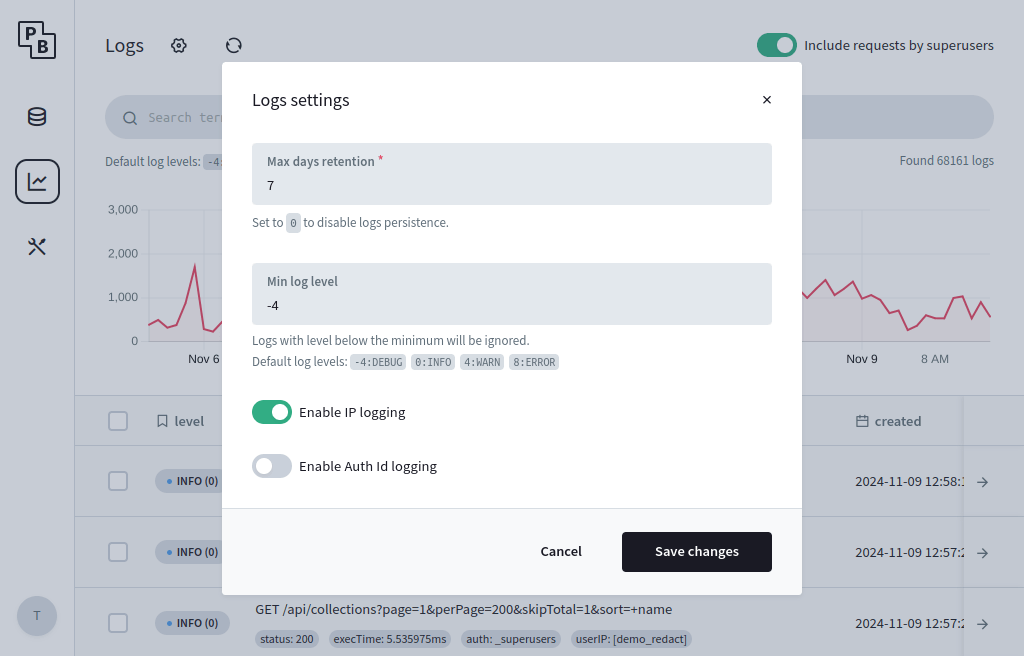
Attribution
This page is adapted from PocketBase docs.